How to upgrade from Ubuntu 22.04 to Ubuntu 24.04 for IDE images
This article explains how to upgrade the IDE base image from Ubuntu 22.04 to Ubuntu 24.04.
This is needed because we do not automatically update IDE base image, or the base image of your Project base image.
Upgrading your project to use the new Ubuntu 24.04 base image
For projects a default IDE base image can be configured, from that base image you can make changes using the project default config. The best way to test the migration of your project IDE base image and config is to use the Conveyor UI to create a new IDE for your project. In the modal you can change the base image and config. A new IDE build will be started with the changed config. You can repeat this step until you have a working configuration.
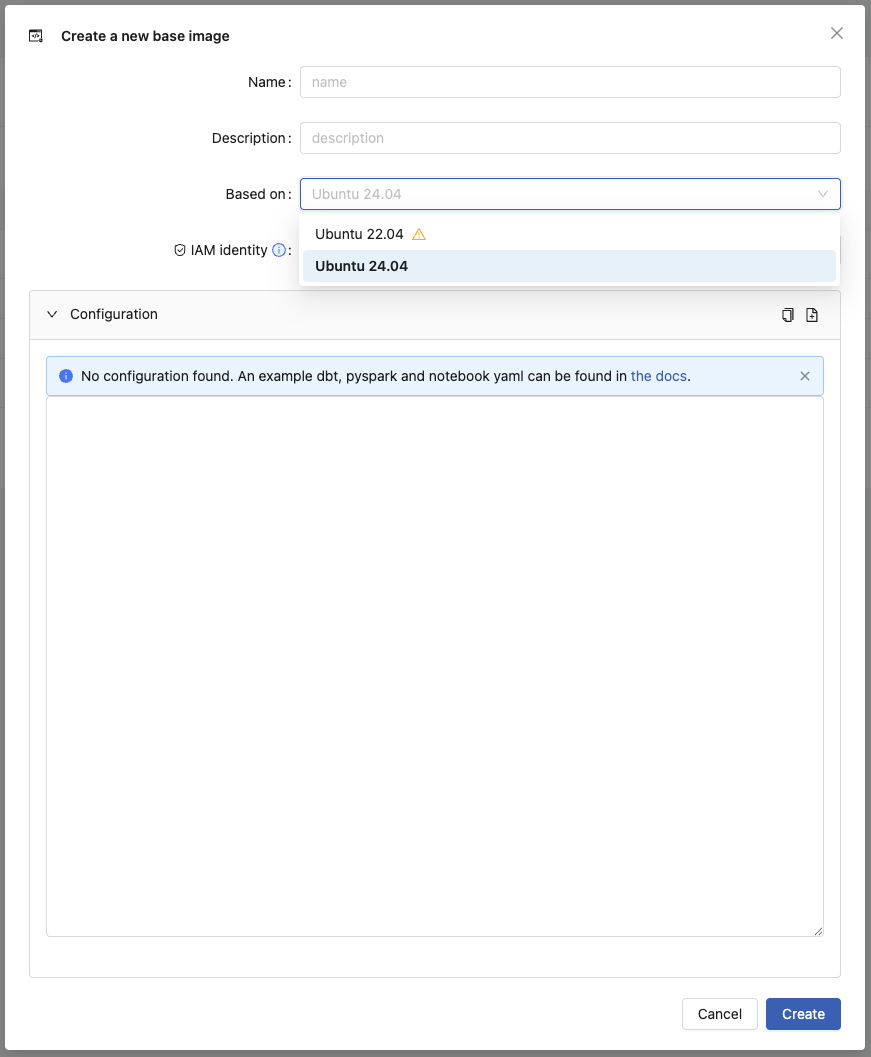
From that point on you can update the default project IDE base image and configuration.
Upgrade IDE base images
To update an IDE base image we recommend creating a new IDE base image to test things out. Afterwards, you can either update the original base image, or keep the new one and migrate all users over.
First do the following steps:
- Create a new IDE base image to test out the upgrade. You can easily do this via the Conveyor UI.
- Copy over the settings from the old base image to the new base image, but change the base image to the new
default - Ubuntu 24.04image. - Ensure that the build succeeds, if not fix any issues that arise. You may need to update some dependencies or configurations to be compatible with Ubuntu 24.04.
When everything succeeds you can either:
- Update the original IDE base image
- Or keep the new one and migrate all users over
Please remember that if users have specified custom IDE configuration on a projects that it might cause issues with the new base image. If you know there are many users with custom configuration, it might be better to keep the old base image and create a new one for the new Ubuntu version. This way users can choose when to migrate to the new base image.